About the program
Detailed description of AntiPirat 2.0 functionality
What is AntiPirat 2.0?
The local program «AntiPirat 2.0» is designed for rights holders and authors. The tool automates the search for illegal copies of e‑books and audiobooks on the Internet.
The system checks websites, torrent trackers, social networks, messengers, video platforms for violations of your copyright, saves evidence and generates reports for sending complaints to hosting providers and site owners.
Program interface
Main screen — General statistics
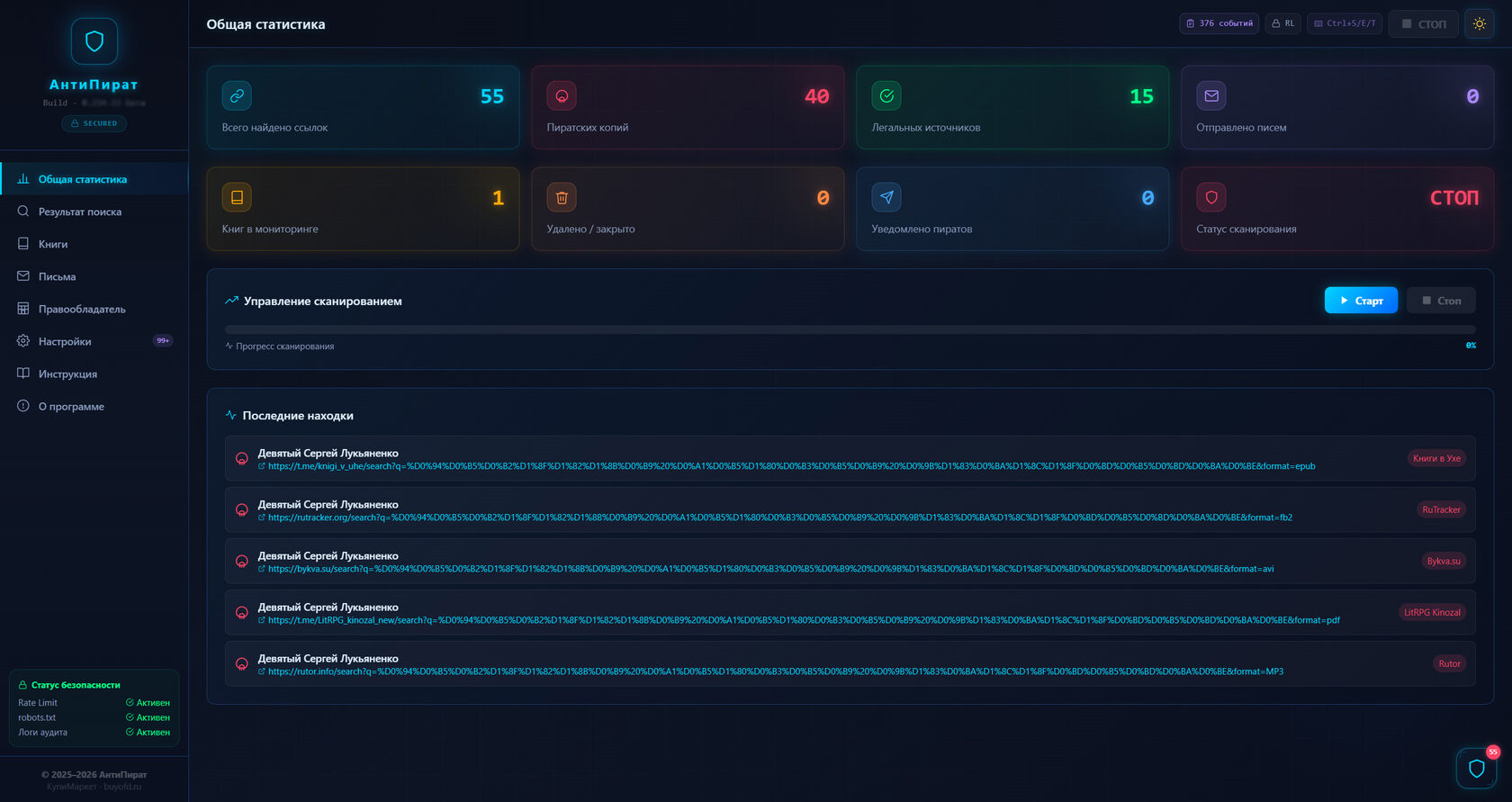
Scan management:
- Start scan — start a new search
- Continue search — resume after pause
- Stop — stop scanning
Progress bar:
Shows the progress of the current scan in percent.
Important: To prevent your IP address from being blocked by your internet provider, the number of simultaneous search result outputs may be limited (up to 3). To continue searching, click «Continue search».
This means: the program pauses between requests so you are not blocked. This is normal and correct!
Search results
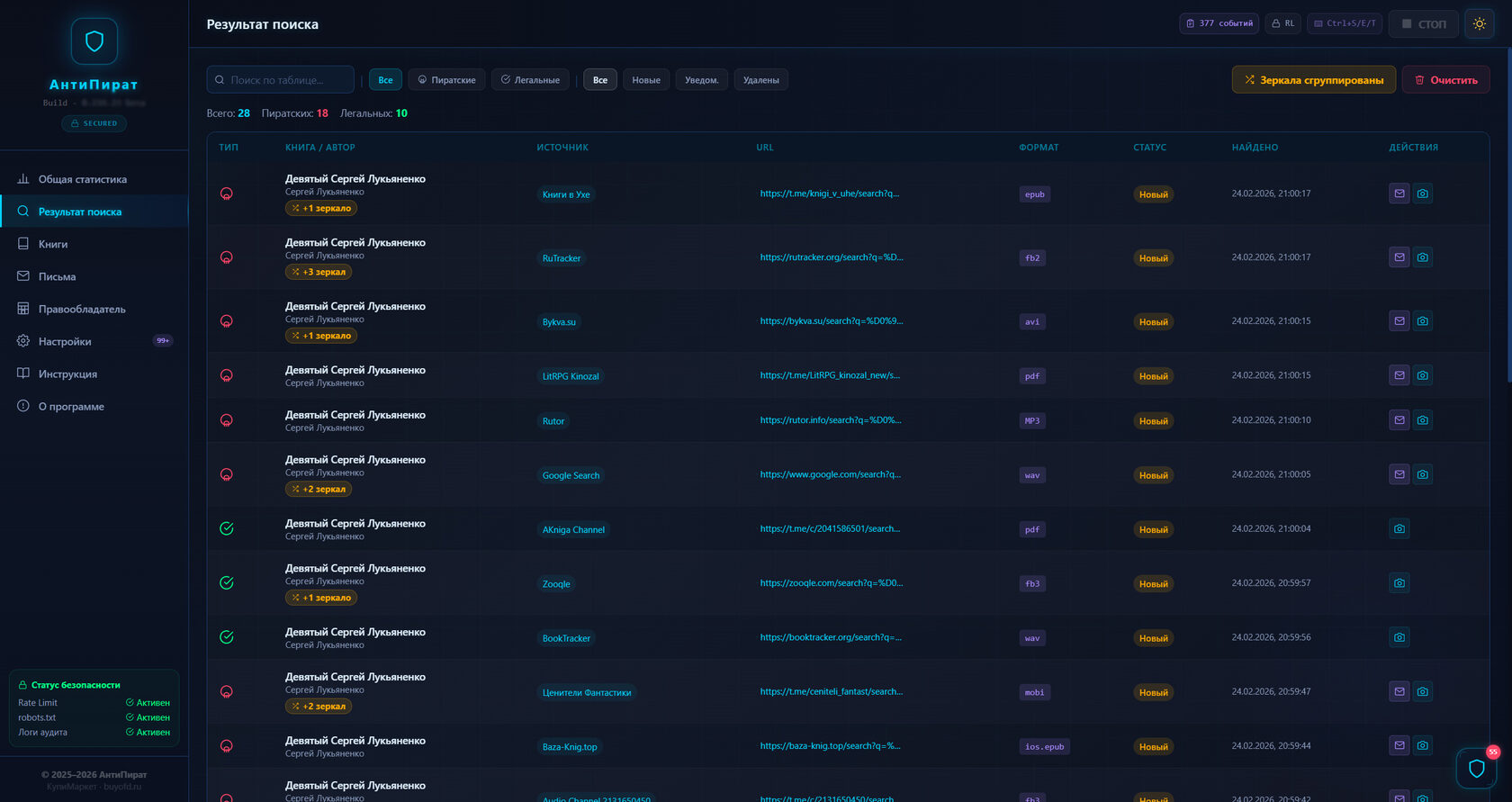
Control buttons:
- Start scan
- Continue search
- Mirrors grouped / Show all
- Clear results
Filters:
- All — show all found links
- Pirate — only illegal copies
- Suspicious — require verification
Results table:
- Type (Pirate / Suspicious)
- Book title
- File format (epub, fb2, pdf, etc.)
- Source (site or channel)
- Link (clickable)
- Discovery date
- Actions: Screenshot, Letter, Delete
Books section
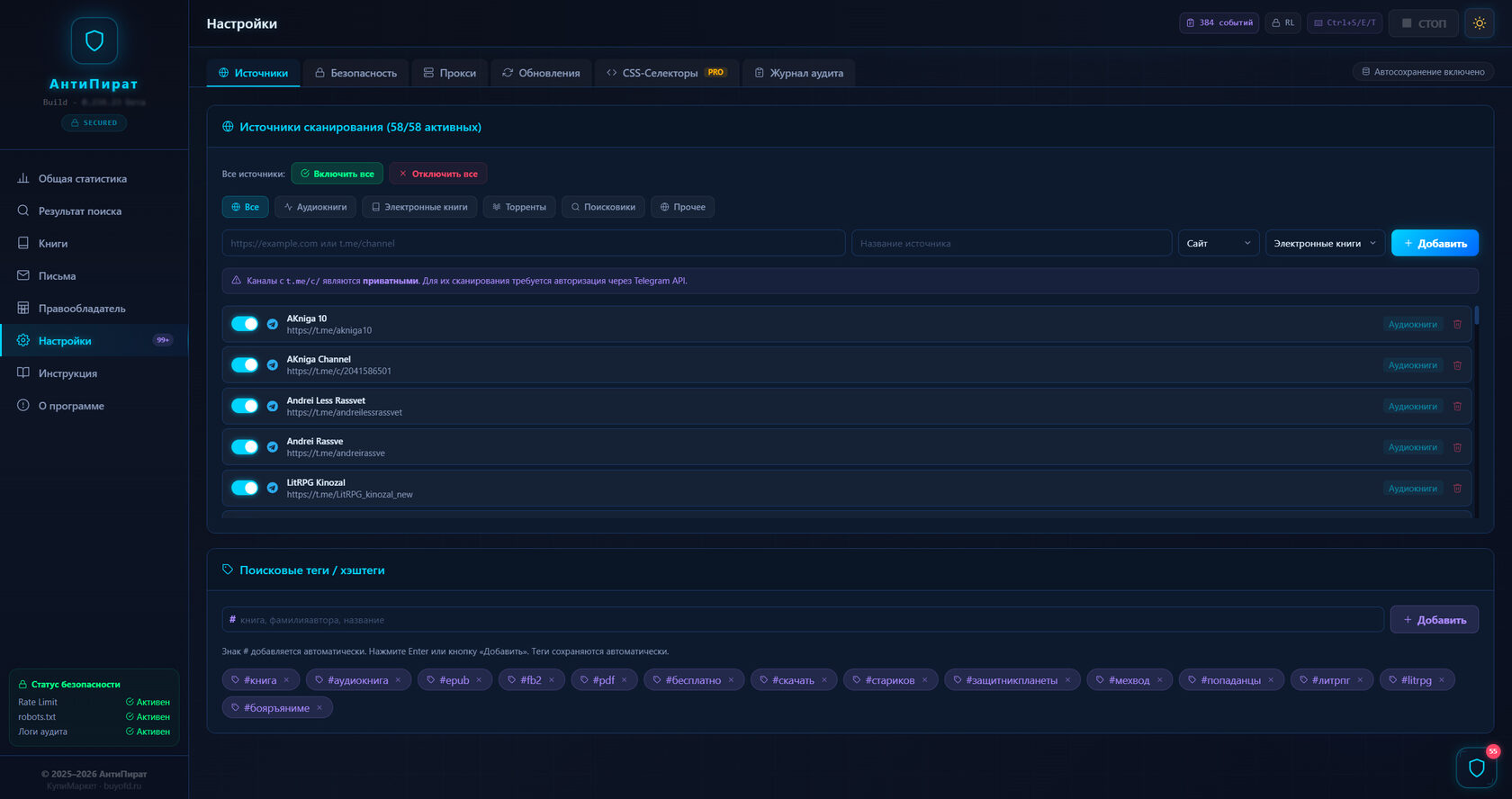
Add book form:
- Book title* — exact title (required)
- Author* — author's last and first name (required)
- ISBN — international book number
- File hash — unique code for accurate identification
Search formats:
E‑books: epub, fb2, fb3, ios.epub, mobi, pdf, txt, zip
Audio: MP3, avi, wav
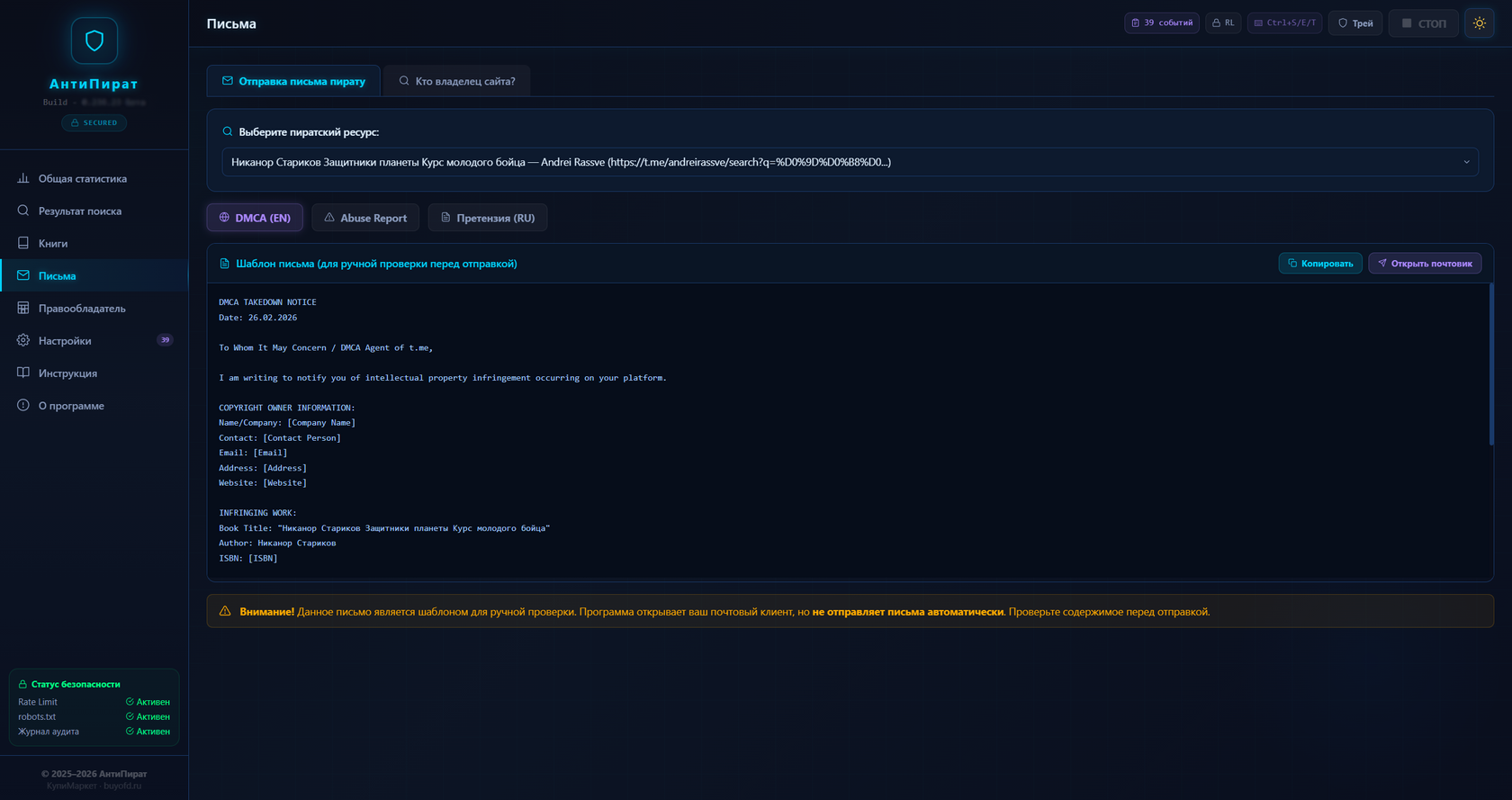
Letters section
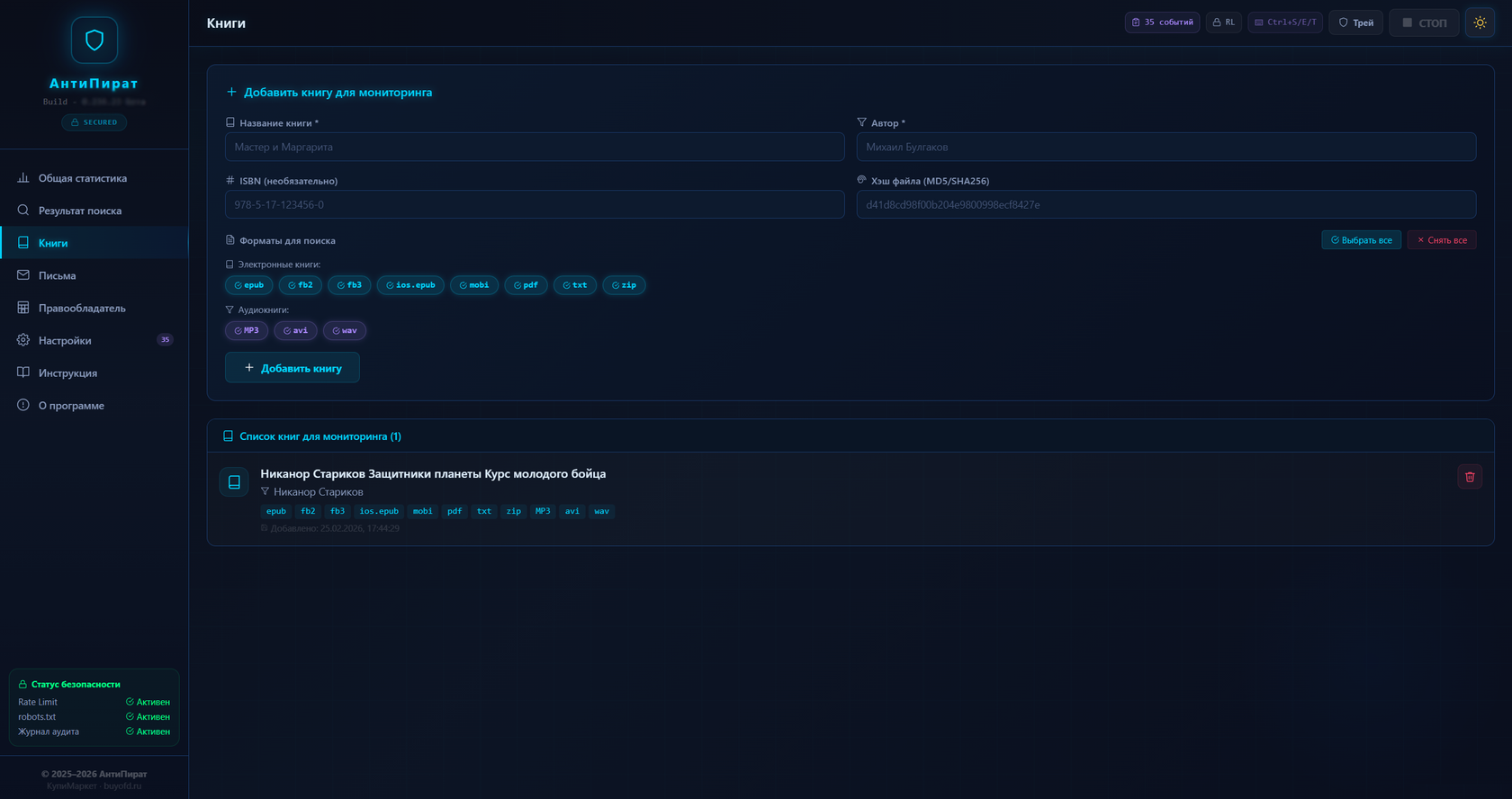
Important: The program only generates the letter text and opens your email client. Letters are NOT sent automatically! You review the text and send manually.
Tab 1: «Send a letter to the pirate»
Generates a claim letter about copyright infringement.
Tab 2: «Find out who owns the site»
Here you can find out who owns the pirate site.
Rights holder section
Personal data:
- Full name
- Phone
- Address
Publishing data:
- Publisher name
- Website
- OGRN/TIN
Tip: Fill in this section FIRST — before starting any work. Without your data, claim letters will be incomplete.
Settings section
Tab 1: «Sources»
Configure the source categories where the program will look for pirates.
Tab 2: «Security»
Fine‑tuning of requests. For advanced users!
Tab 3: «Proxy»
If your IP is blocked — use proxy servers.
Tab 4: «Updates»
Update the program and database.
Tab 5: «Audit log»
The log records ALL program actions.
Hotkey support
Ctrl + S
Start / Pause scanning. If scanning is stopped — starts. If running — stops.
Ctrl + E
Export audit log. Automatically downloads a .txt file with the complete history of program actions.
Ctrl + T
Toggle theme: Dark (Sci‑Fi) ↔ Light
Ctrl + P
Open step‑by‑step instructions in a new window.